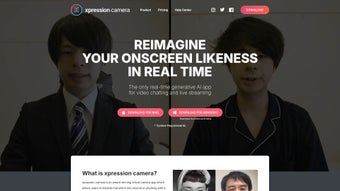

Download xpression camera 2.0 – AI‑powered virtual camera, real‑time face swapping, live streaming tool
Overview
xpression camera 2.0 is a breakthrough virtual‑camera application that brings artificial‑intelligence face‑swap technology to any web‑based video platform. By uploading a single photo—whether it’s a favorite celebrity, a beloved pet, or a custom avatar—users can instantly morph their live video feed into that image while preserving real‑time facial expressions. The app works directly in the browser, which means there’s no heavy client‑side installation, no lag, and no processing delay.
Whether you are joining a Zoom meeting, streaming on Twitch, creating TikTok videos, or simply recording a meme‑worthy clip, xpression camera 2.0 delivers a smooth, secure, and highly customizable experience. The subscription model gives you unlimited swaps, frequent AI updates, and premium support, while a free trial lets you test the core features before committing. In today’s digital‑first world, the ability to instantly change your on‑screen persona is not just a novelty—it’s a powerful way to stand out, protect privacy, and add creative flair to every piece of content you produce.
Key Features that Set xpression camera 2.0 Apart
- Instant AI face swapping: Upload a single image and watch the app map your expressions onto the chosen persona in real time.
- Zero‑latency processing: The browser‑based engine eliminates waiting times, ensuring a fluid experience for live calls and streams.
- One‑click background and avatar changes: Switch between characters, pets, or custom backgrounds with a single click during a session.
- Broad content support: Export videos, GIFs, or memes directly from the interface, or use the virtual camera as a source in OBS, Teams, Zoom, Discord, and more.
- Multi‑source image import: Pull photos from your camera roll, Google Photos, social media accounts, or any URL, giving you limitless creative options.
- Subscription‑based updates: Monthly updates bring new AI models, additional character packs, and performance optimizations.
- Privacy‑first architecture: All image processing happens locally in the browser; no personal photos are stored on external servers.
- Cross‑platform compatibility: Works on Windows, macOS, ChromeOS, Android, and iOS browsers that support WebGL and WebRTC.
- Developer API (beta): Integrate the face‑swap engine into your own web apps or games with a simple RESTful endpoint.
- Community marketplace: Purchase or share custom avatar packs created by other users, expanding the library beyond the default collection.
Installation, Compatibility & Real‑World Usage
How to Install and Get Started
Installing xpression camera 2.0 is intentionally frictionless. Follow these steps for a quick launch:
- Visit the official website and click the Start Free Trial button.
- Allow the browser to access your webcam and microphone when prompted.
- Sign in with Google, Apple, or create a dedicated xpression account.
- Upload your first reference photo—choose a clear, front‑facing image for best results.
- Enable the virtual camera from your operating system’s camera settings (Windows: Settings → Privacy → Camera; macOS: System Settings → Security & Privacy → Camera).
- Select “xpression camera 2.0” as the video source in any web‑based meeting or streaming platform.
- Begin speaking or moving; the AI will automatically map your facial expressions onto the chosen avatar.
Compatibility Across Devices
Because xpression camera 2.0 runs entirely in the browser, it supports the latest versions of Chrome, Edge, Firefox, and Safari. The app leverages WebGL for GPU‑accelerated rendering and WebRTC for low‑latency video transmission. Minimum system requirements are modest:
- CPU: Dual‑core 2 GHz or higher
- GPU: Integrated graphics supporting OpenGL ES 3.0 (most modern laptops and phones qualify)
- RAM: 4 GB recommended
- OS: Windows 10/11, macOS 10.15+, ChromeOS, Android 9+, iOS 13+
- Browser: Latest Chrome/Edge/Firefox/Safari with JavaScript enabled
Users on older browsers may experience reduced frame rates, but the core swapping functionality remains operational.
Pros and Cons – A Balanced Look
Pros:
- Instant, lag‑free face swapping suitable for live interaction.
- No software download—runs directly in the browser, reducing storage footprint.
- Strong privacy stance: images never leave the user’s device.
- Extensive library of avatars and a thriving community marketplace.
- Seamless integration with popular video‑conferencing and streaming tools.
Cons:
- Requires a stable internet connection for the initial AI model load.
- Subscription pricing may be a barrier for casual users.
- High‑contrast or low‑light environments can affect avatar tracking accuracy.
- Limited offline functionality; the virtual camera cannot be used without a browser session.
- Some enterprise video platforms still need manual camera permission adjustments.
FAQ & Final Thoughts – Your Next Step with xpression camera 2.0
Can I use xpression camera 2.0 with OBS Studio for streaming?
Yes. After enabling the virtual camera in your browser, select “xpression camera 2.0” as a video source in OBS’s ‘Video Capture Device’ settings. The AI‑driven avatar will appear as a regular webcam feed, ready for overlays or scenes.
Is my uploaded photo stored on xpression’s servers?
No. All image processing occurs locally in your browser. The photo is never uploaded, ensuring full control over personal data.
What subscription plans are available?
xpression camera 2.0 offers a monthly plan ($9.99 USD) and an annual plan ($99.99 USD) that includes a two‑month discount. Both plans unlock unlimited swaps, premium avatar packs, and priority support.
Can I use the app on a mobile device?
Absolutely. The mobile‑optimized version runs in Chrome or Safari on Android and iOS. Just open the website, grant camera access, and select the virtual camera in compatible apps (e.g., Instagram Live, TikTok).
What happens if my internet connection drops?
The virtual camera will pause while the connection is lost, but your original webcam feed remains active. Once connectivity returns, the AI model reloads automatically, and you can resume avatar swapping without reinstalling.
Conclusion – Should You Download xpression camera 2.0?
For creators, remote workers, and anyone who wants to add a dash of personality to video calls, xpression camera 2.0 delivers a compelling mix of speed, privacy, and creative freedom. Its browser‑based architecture removes the friction of traditional virtual‑camera software, while the AI engine provides a level of realism that feels both fun and professional. The subscription cost is justified by continuous model improvements and a growing marketplace of avatars. If you value real‑time expression tracking, seamless integration with your favorite platforms, and the ability to protect your on‑camera identity, this tool is a worthy addition to your digital toolkit. Click the button below to start your free trial and watch your on‑screen persona come to life instantly.
Start Free Trial of xpression camera 2.0
xpression camera 2.0 impresses with its immediate, lag‑free avatar swaps and a strong commitment to user privacy. The feature set feels future‑ready, though the subscription model may deter occasional users. Overall, it’s a solid investment for anyone serious about video content creation.
Pros:
- Instant AI swapping
- Zero‑install, browser‑based
- Extensive avatar marketplace
- Strong privacy
- Cross‑platform support
Cons:
- Subscription cost
- Requires stable internet for model loading
- Limited offline use



.png)



